
Speaking is the most difficult part of learning any language, but there’s no reason to be intimidated. If you want to speak German fluently with a good accent, shadowing is the best way to get there. Shadowing will get you used to the sounds and patterns of German without the pressure of talking to a native speaker. After just a few weeks of practice, you’ll notice your speech is much more fluid and natural, and it’s easier to recall German vocabulary and make sentences. All you need to get started is a device to record your pronunciation so you can compare it to a native speaker’s. You can use any recording software, but I included some recording programs below if you’re unsure what to use.
Recording Programs
PC
Audacity is the best free audio recording software for computers. Start by downloading it from the Audacity website and installing it.
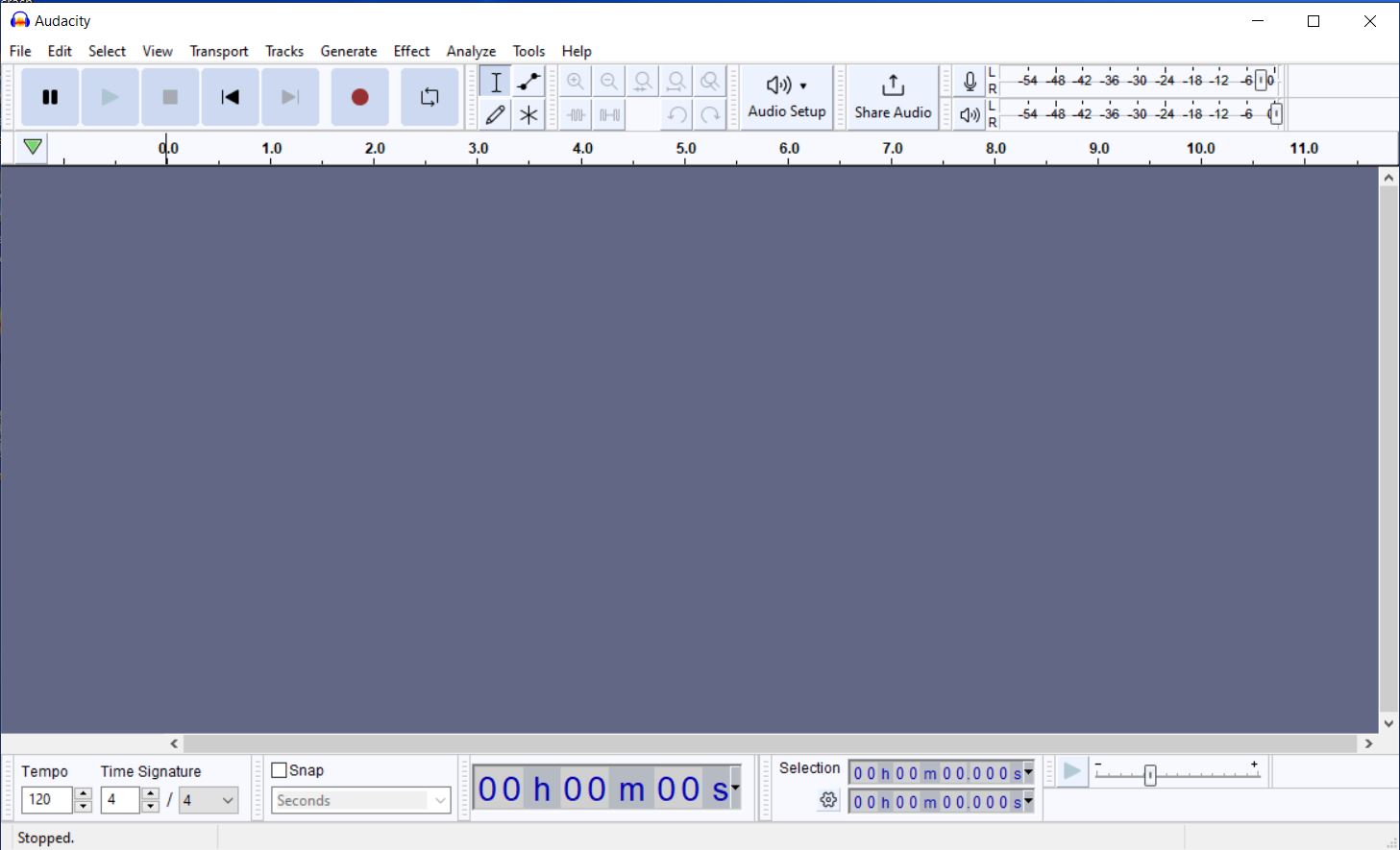
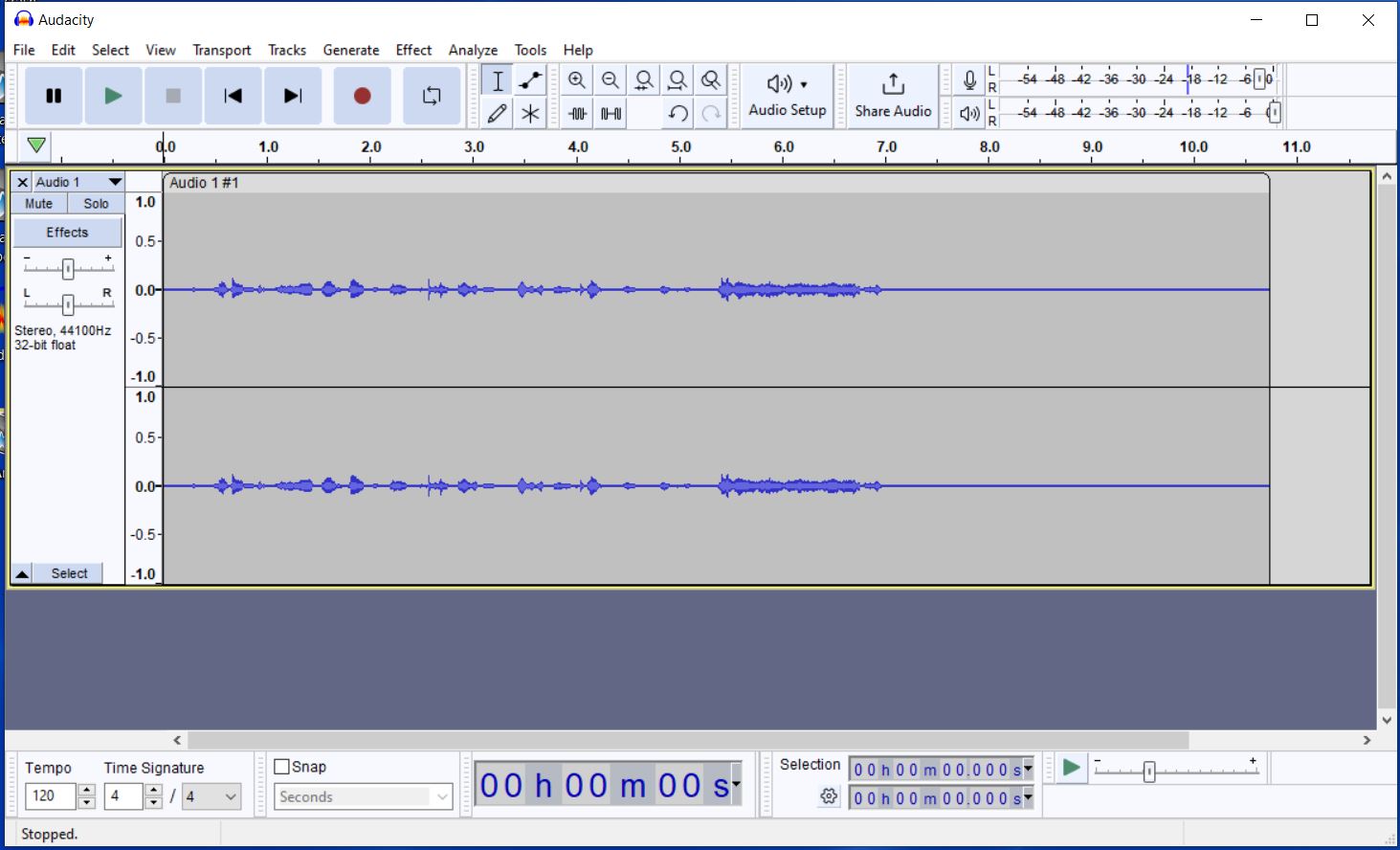
Once the program is open, you can start recording by pressing the red record button on the toolbar at the top of the screen. You can pause, continue, or stop your recording from the toolbar as well. To export the file, go to “File” and then “Export” from the top left corner of your screen. Do note that you need a microphone to be able to use this program. If you are on a laptop, you will have a built-in microphone, but if you are on a desktop, you need to connect an external microphone. To listen to your recording, go to the location of your exported file and click on it to open it in your computer’s music player.
Mobile
If your phone already has recording software that you like, then use that. Otherwise, download an audio recording app from the App Store. I like AudioLab, but there are many other similar apps.
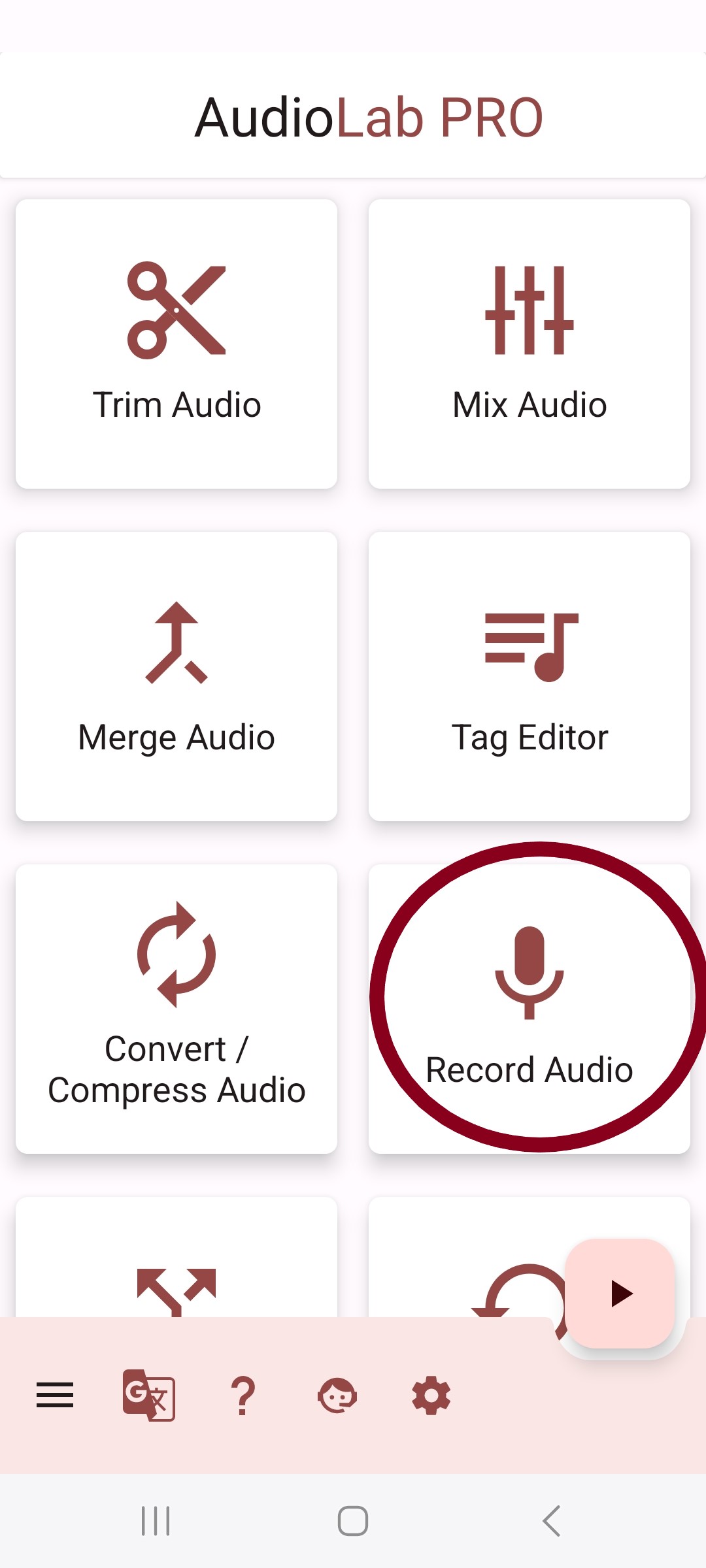
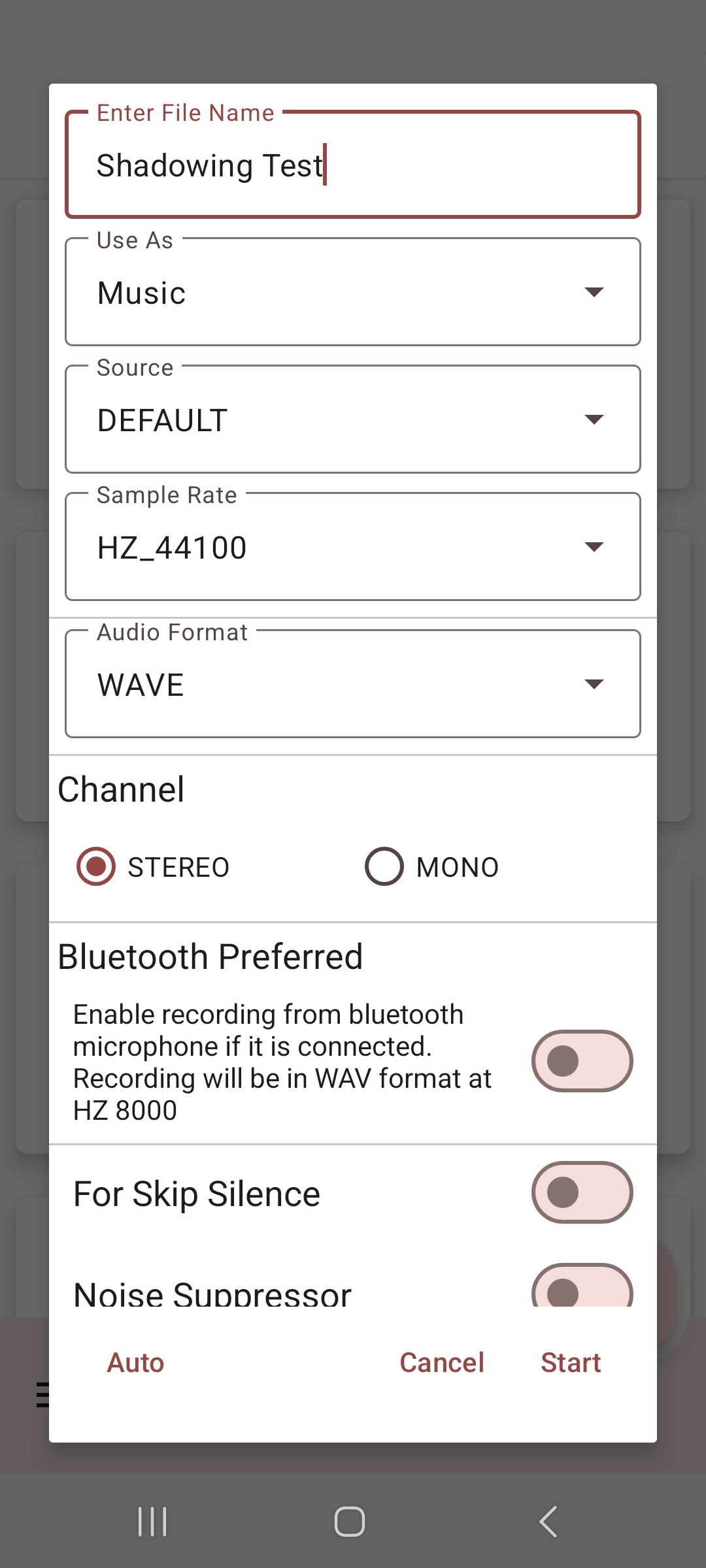
When you start recording audio, there should be no need to mess around with the settings; just name the file with what you are shadowing, so you can keep track of it later.
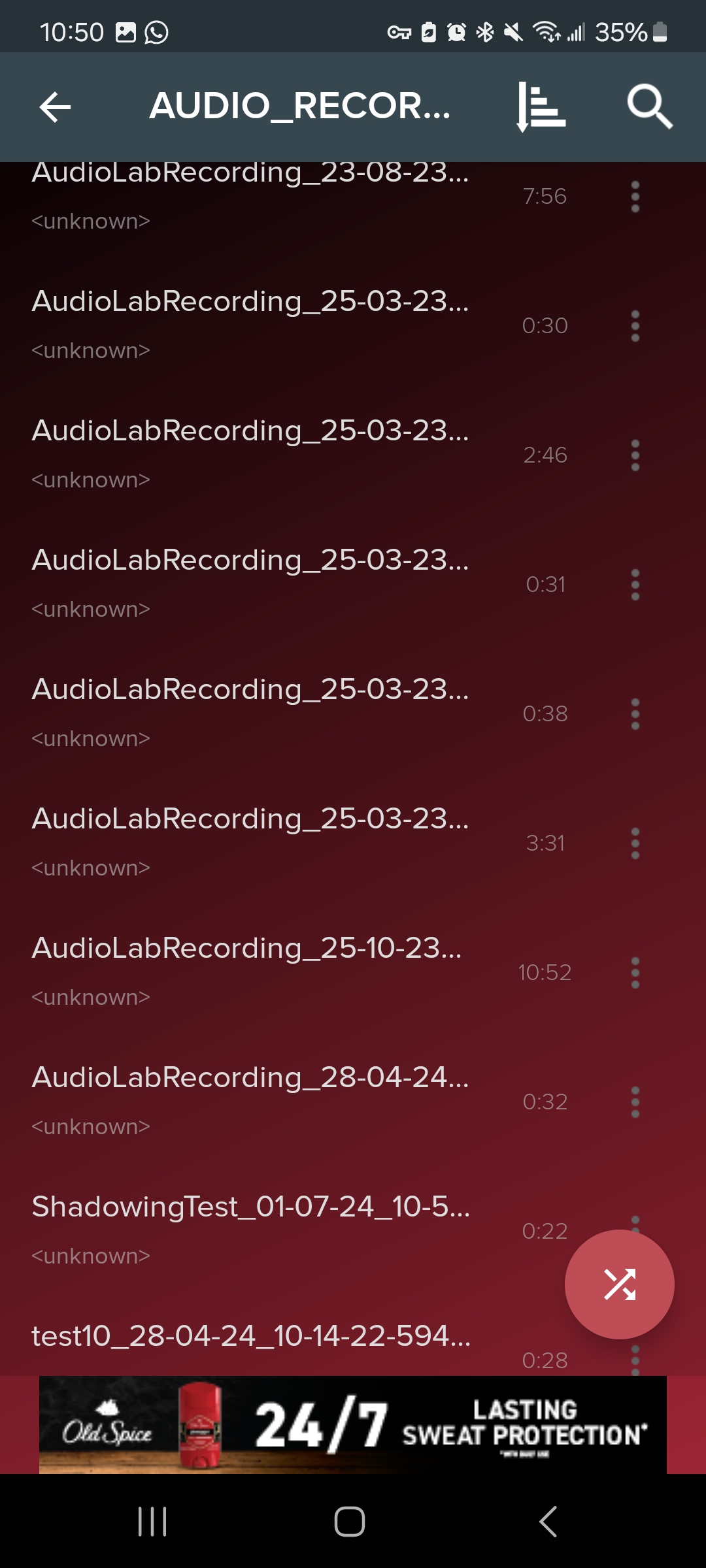
After you have finished recording your audio and saved it, go to your audio player of choice to listen to it, here I’m using Pi Music Player.
Getting Started
The process of shadowing is pretty straightforward. Listen to a native speaker and copy what they say exactly. However, when you try to do this, you may find it’s harder than you thought. They may speak too quickly for you to catch everything, or you might get lost partway through and forget what you were supposed to say. This is why you should always use material you can easily understand for shadowing. Easy material will allow you to focus on your speaking and pronunciation. When you pick a source to shadow, start by listening to it all the way through while paying attention to the rhythm and sound of the language. This is called silent shadowing. Next, listen to it again but whisper it out loud to yourself; you’re still mostly focusing on the flow and intonation here. Finally, you’ll record yourself repeating what the native speaker says to the best of your ability. Listen back to your recording and take note of where your pronunciation or intonation is off. If you missed several things, go back and record yourself one more time. Shadowing is a draining activity, so I recommend doing it for no more than 20 minutes at a time. As you progress, you will create your own shadowing schedule and workflow that works best for you.
When you first start shadowing, using resources with accompanying text can make it easier to follow along. However, I recommend not looking at the text while recording yourself. If you rely on the text while shadowing, you’ll end up reading instead of actively listening to and repeating what is being said.
If you want to develop a consistent native-like accent, consider finding what’s called a “language parent.” A language parent is someone whose speech you shadow exclusively to maintain consistent pronunciation and tone. To be an effective language parent, they should have plenty of content where they speak naturally. YouTubers, streamers, podcast hosts, and celebrities can all make excellent language parents. Ideally, your language parent should be the same gender as you and have the accent you want to emulate.
Shadowing Sources
Before you start shadowing, it’s a good idea to review the basics of German pronunciation. Learn German with Anya has a great series on German pronunciation, as does vhs-Lernportal. You can record yourself saying the alphabet and practicing simple words and phrases, then focus on the sounds you have the most trouble with. If you feel confident in your German pronunciation, you can go straight to shadowing more complex German.
When you first start shadowing, it’s best to start by using comprehensible input videos made for English learners. Some great channels for this are Deutsch mit Lari, eleos corner, NITA Study German Daily, Dein Sprachcoach, and Learn German Fast. As you improve, you can use any video from native speakers for shadowing practice.
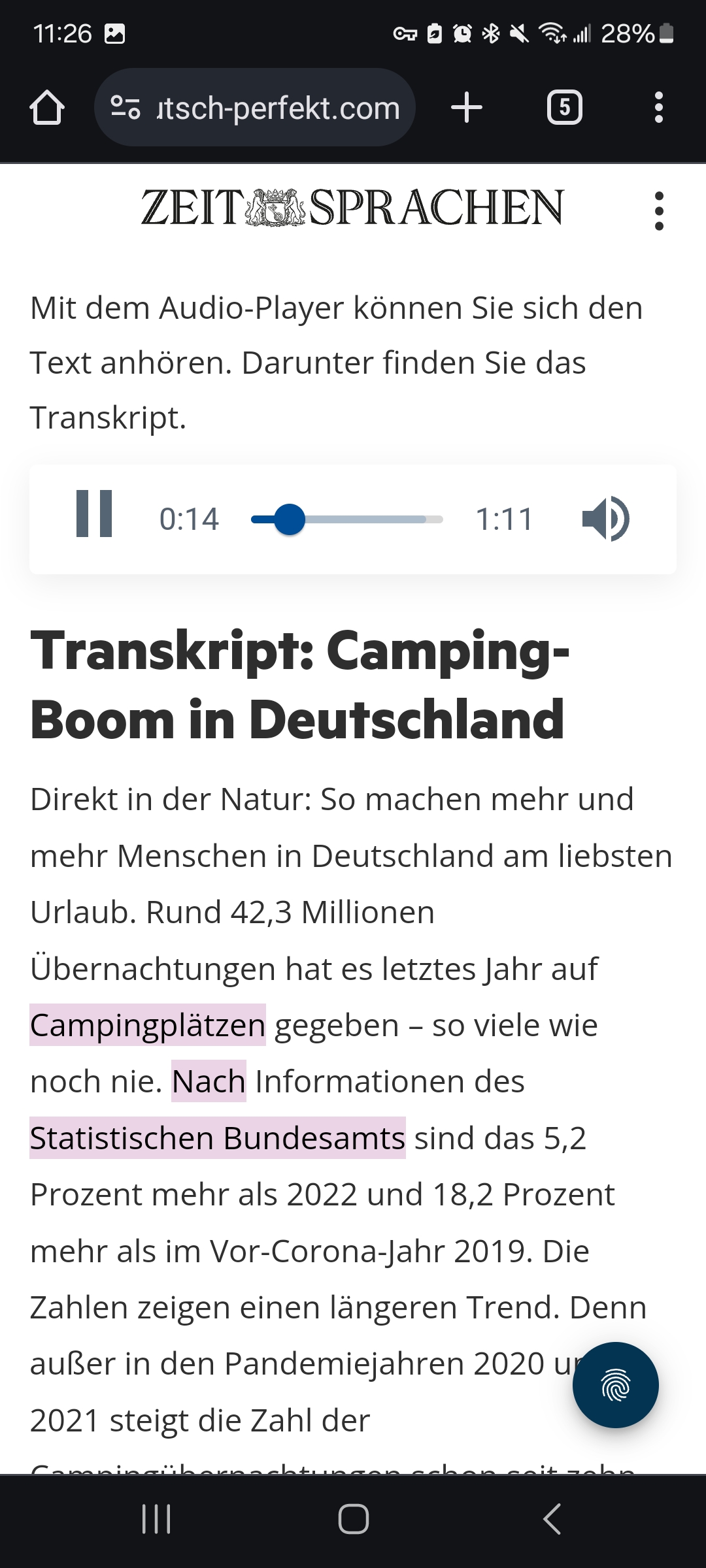
Podcasts and reading material with audio are also great sources for shadowing, especially as you get more advanced. Websites like Deutsch To Go and Deutsch Perfekt are great places to start. When I first start shadowing a language, I will choose audio with a transcript and pause the audio after every sentence to give myself time to repeat what was said. In my audio recording, the host will say a sentence, and then I will repeat the same sentence. This allows for easy comparison. It is best not to do an entire podcast in one sitting, but rather just 15 or 20 minutes of shadowing at a time. As you get more advanced, you can use audio with no transcript for shadowing to practice your listening skills while you practice your speaking skills.
When I start shadowing a podcast as a beginner, I like to have the transcript open in one tab and the audio in another, making it easy to switch between the two. First, I listen to the podcast without the transcript to gauge my understanding. Then, I practice shadowing the host, using the transcript only as a reference when I struggle to recall a word or phrase. Rather than reading directly from it, I glance at the transcript to familiarize myself with tricky sentences, then close it and return to the audio, focusing on mimicking the host rather than just reading aloud.
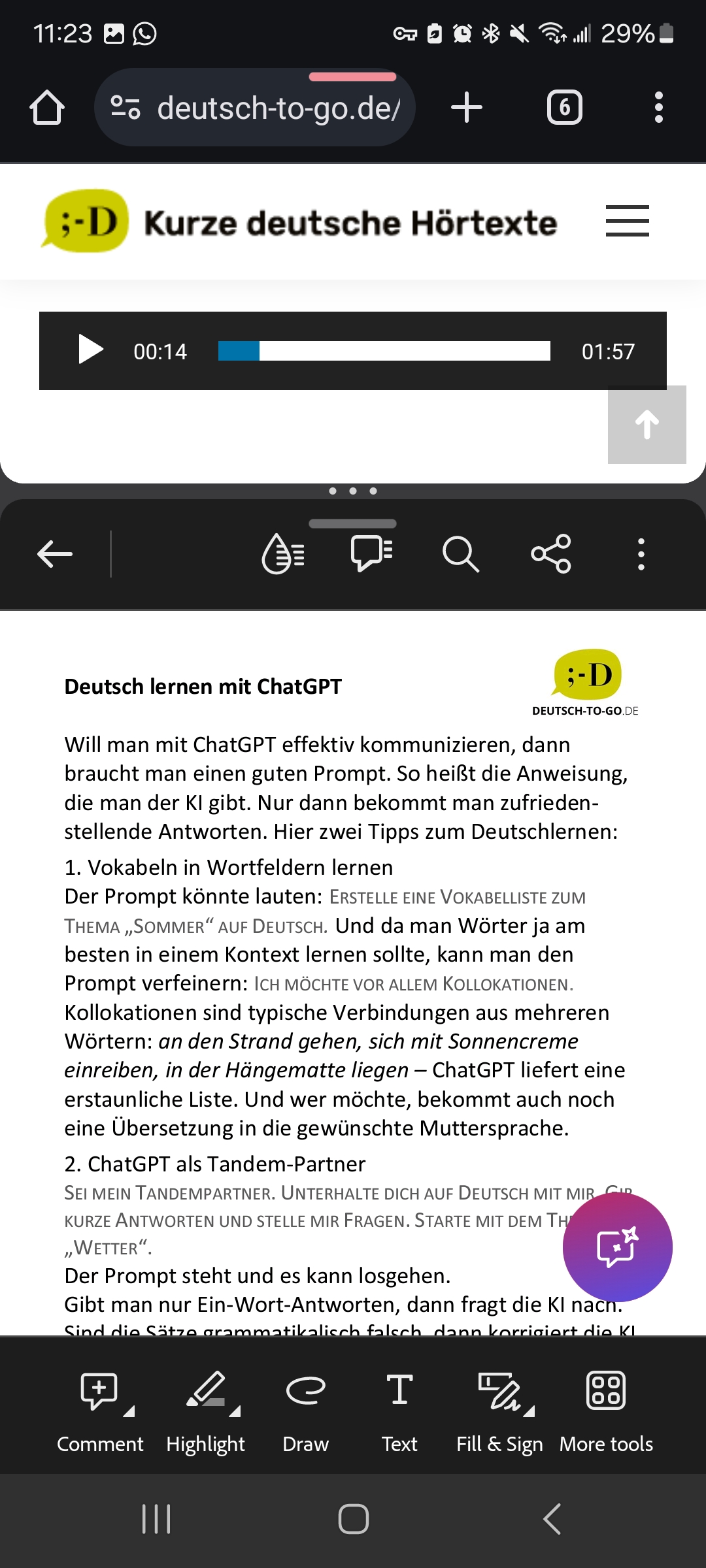
If I were to shadow the text below, I would start by listening to the audio all the way through. Then, I would record myself repeating each sentence out loud after the native speaker reads it. Finally, I would listen to the audio I recorded and compare it to the native speaker’s pronunciation, noting any mistakes I made. If I was able to pronounce most of it correctly, I would then move on to a different text.
Trancy – Freemium
Trancy is a browser extension that you can use for free to help you translate and add dual subtitles to videos; additionally, it is my favorite tool for shadowing! Start by visiting Trancy’s website, downloading the extension for your preferred browser, and creating an account.

Once you have Trancy installed, you will see a little purple “T” appear in the bottom right corner of any supported videos. For shadowing, it’s best to start by using comprehensible input videos made for German learners. Some great channels for this are Deutsch mit Lari, eleos corner, NITA Study German Daily, Dein Sprachcoach, German Potato, and Learn German Fast. As you get better, you can use any native speaker’s videos for shadowing practice!
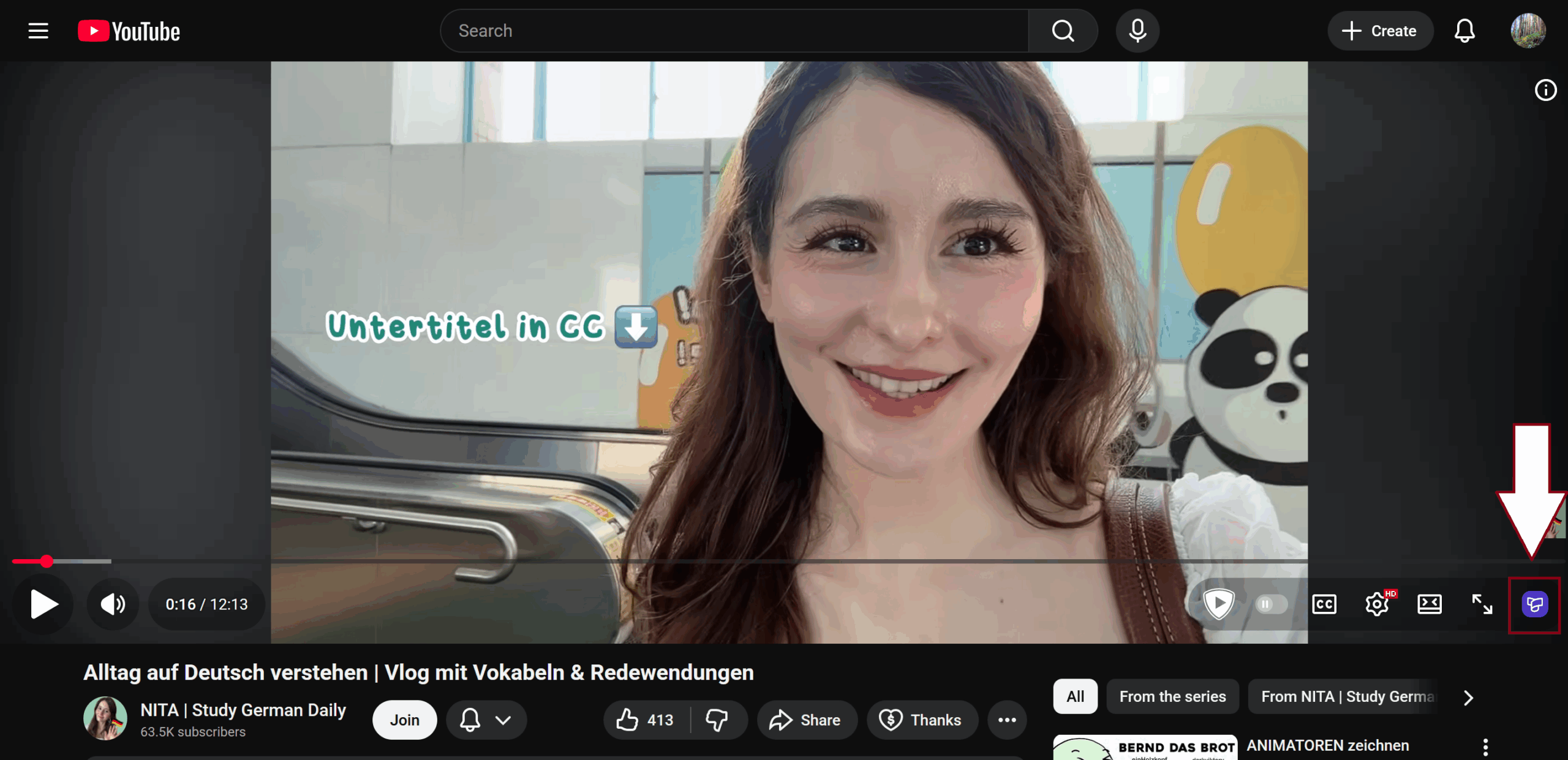
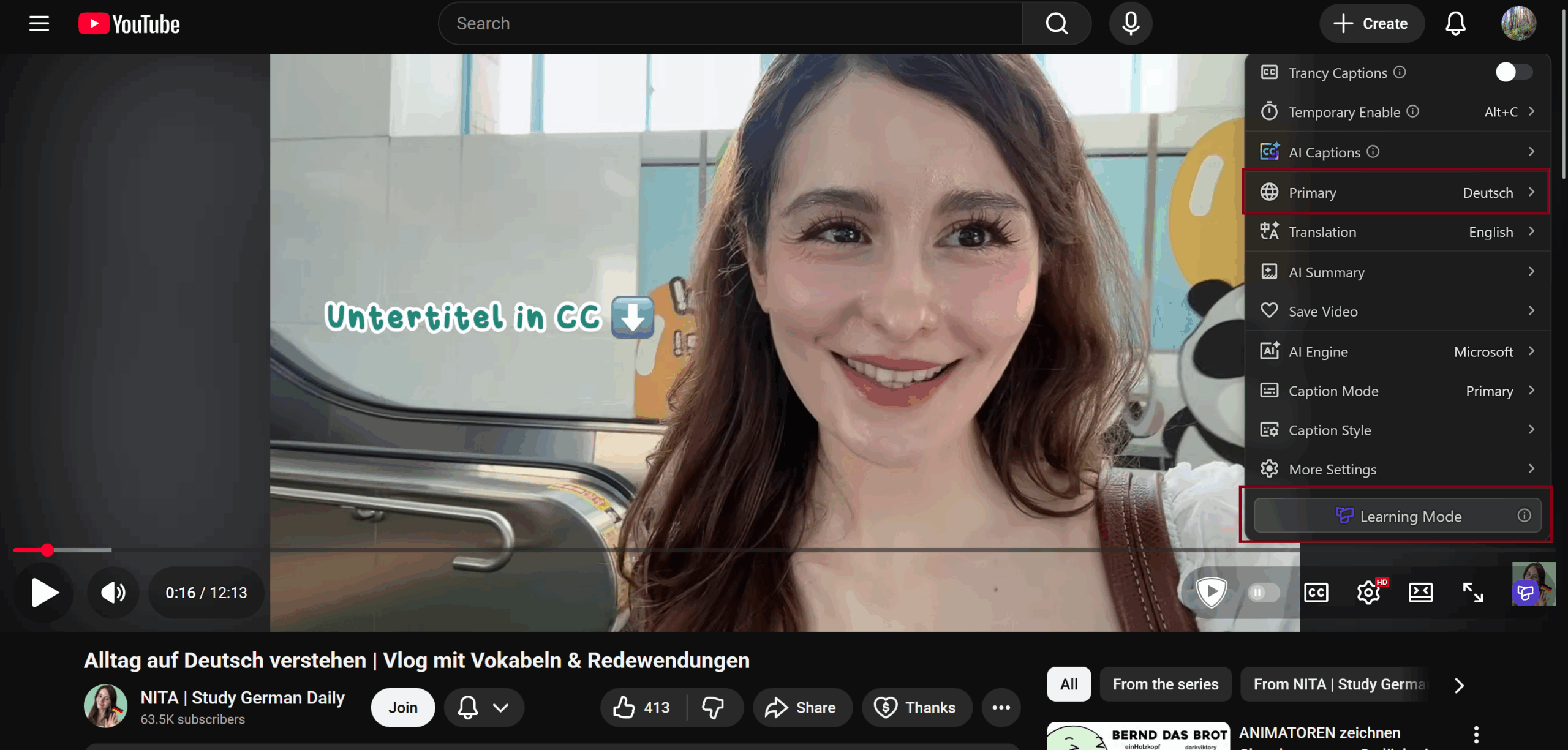
To start shadowing, click on the purple “T” in the bottom-right corner and ensure your primary language is set to Deutsch. If you use Trancy for other languages, you will also need to check that the extension menu is set to Deutsch. Then, click on “Learning Mode.”
You should now see clickable subtitles appear on the video. When shadowing, use a video you can easily understand and set your subtitles to “primary” to hide the English translation. If you notice that the subtitles are poor quality because they are YouTube’s autogenerated subtitles, you can click on the sparkles in the bottom right corner to generate AI subtitles.
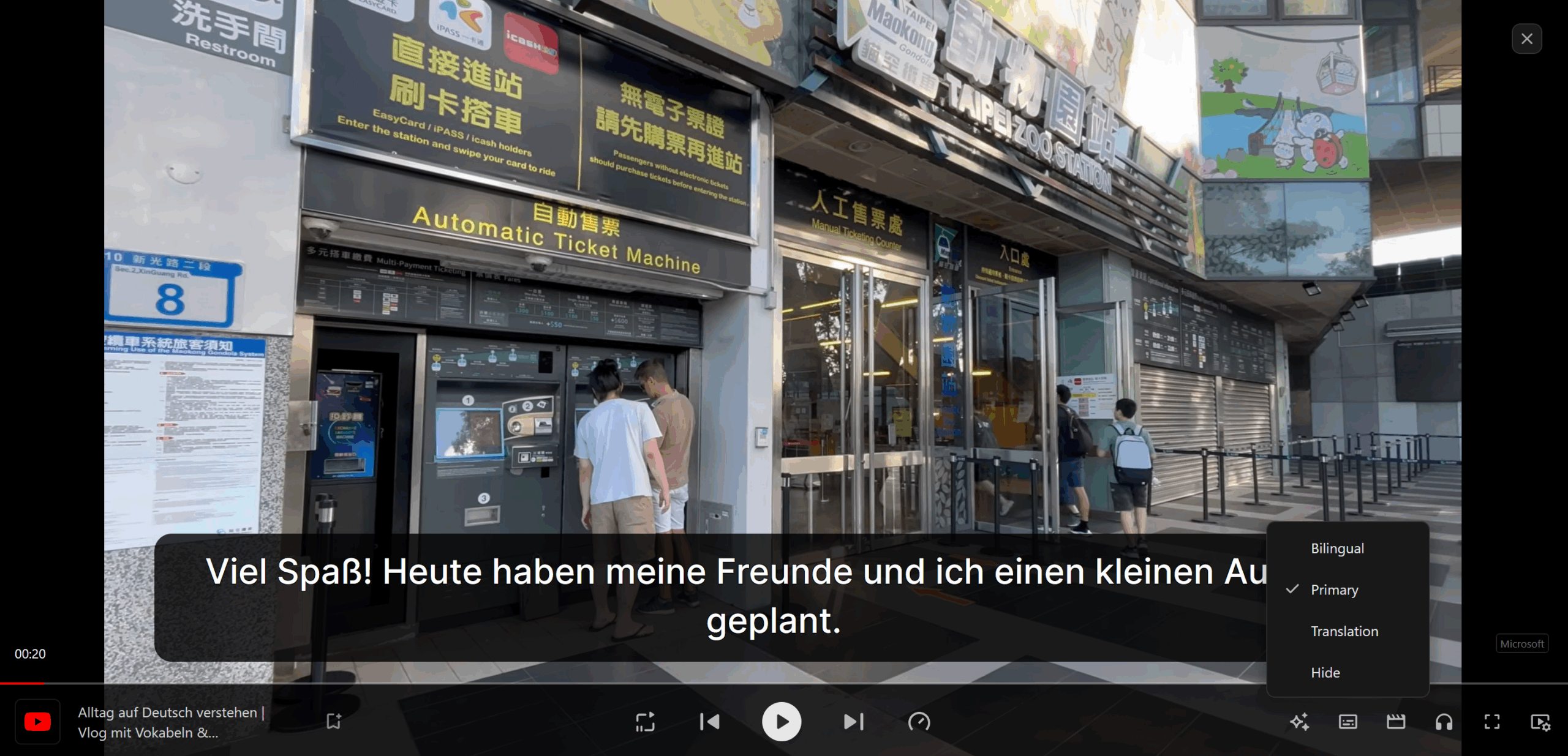
In this mode, you can easily practice shadowing by using the arrow keys on your keyboard to move between subtitles. The way I use Trancy to shadow is I will listen to a line in the video, then I will use the back arrow key to go back to the start of the line and say it along with the native speaker at the same pace. If a video is relatively easy, I will say the line slightly after the native speaker to shadow continuously without pausing. If I want to focus more on my pronunciation, I’ll use my phone to record myself, then listen to the playback and compare it to the video. To practice shadowing just audio, you can hide the subtitles.
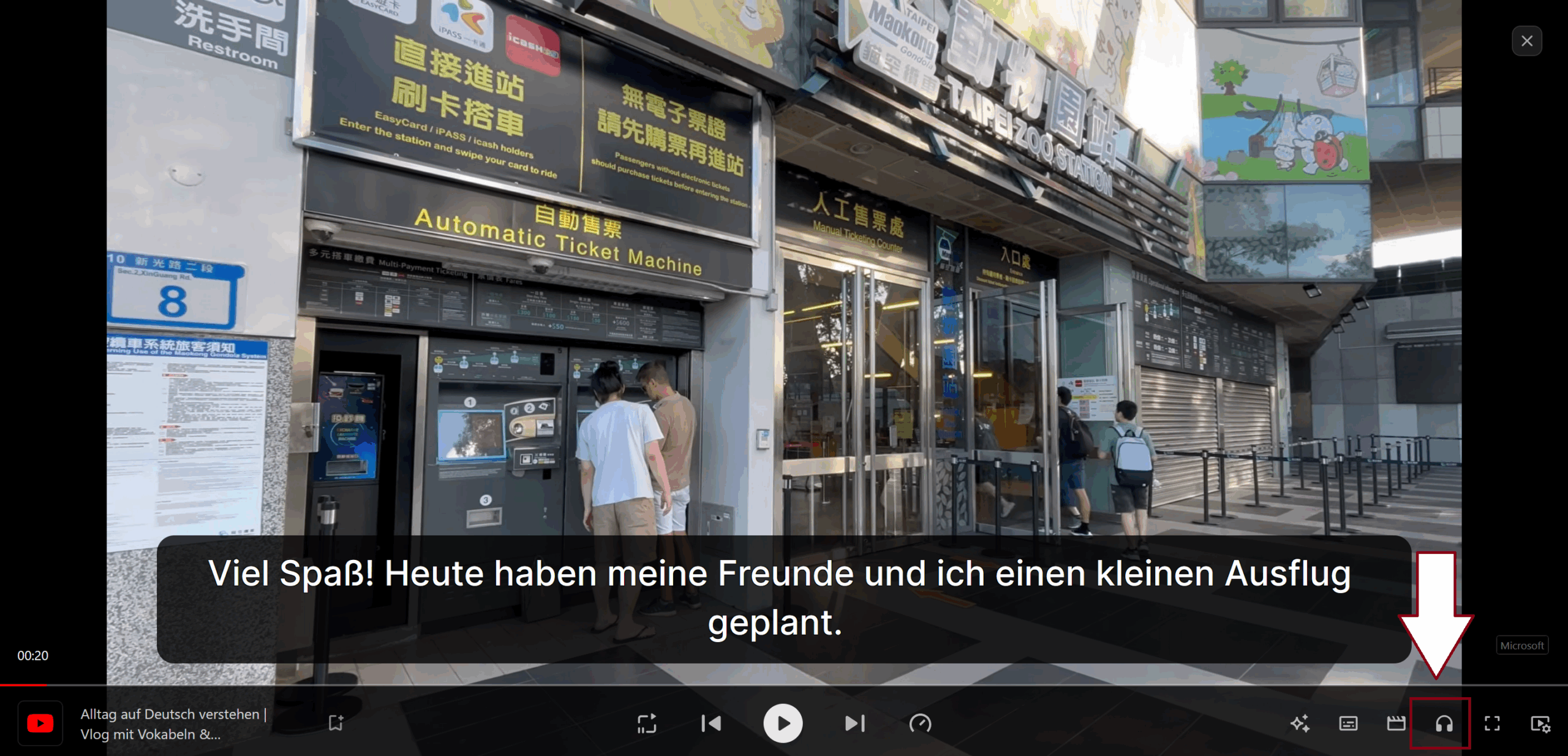
If you have the premium version of Trancy, which is ~$30 a year, you can click on the headphones button to switch into listening and shadowing mode. This is a nice feature to have, but it is not necessary, and you can practice shadowing just fine with the free version.
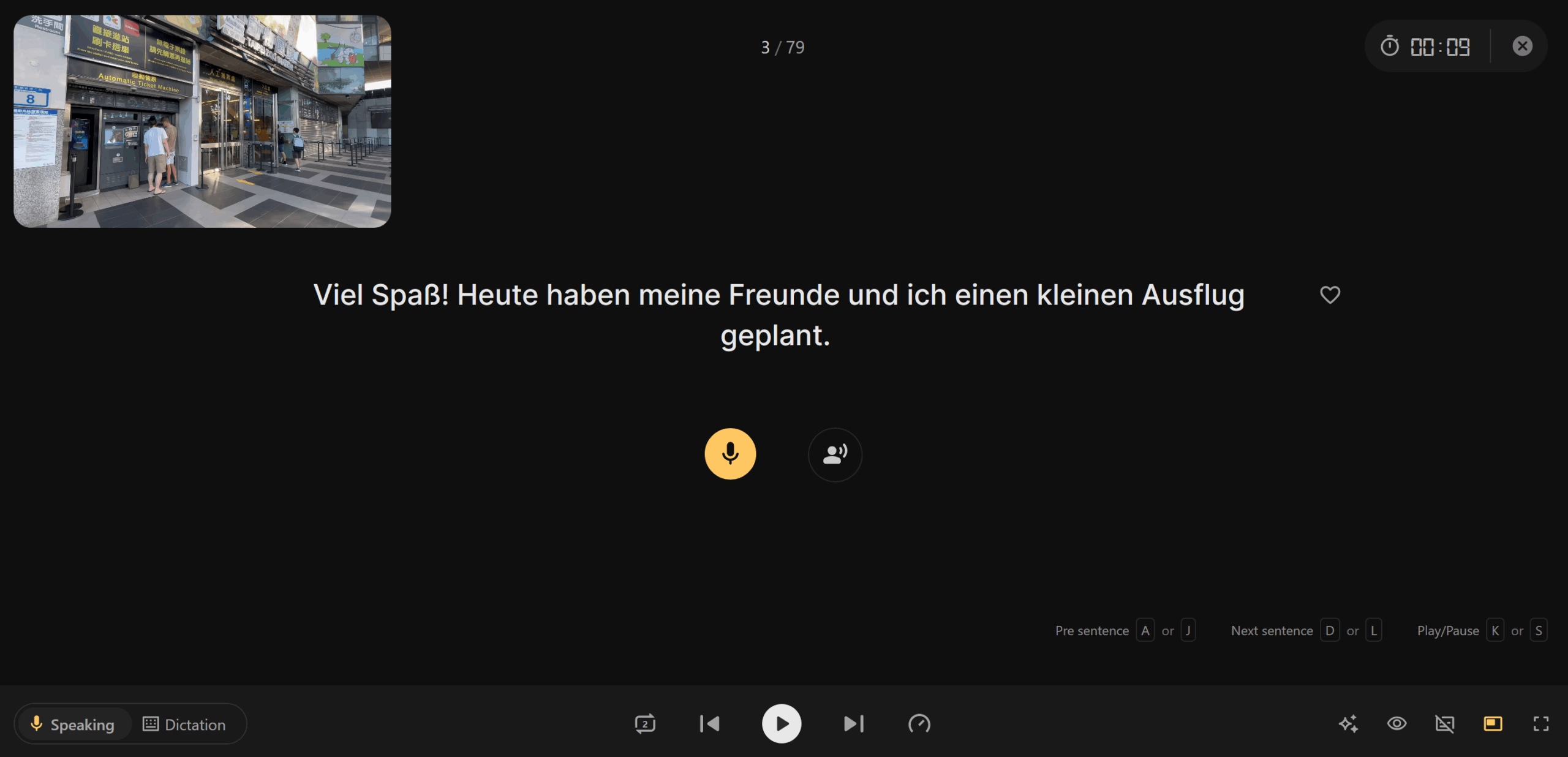
You will then see the screen below, where the sentence you are shadowing is shown in the center of the screen, and the main video is in the upper left corner. You can use the spacebar or play button at the bottom of the screen to listen to the sentence. To record yourself saying the sentence, click on the yellow record button or use the enter key.
After you record yourself, you will hear your recording played back and receive a score. Gray words were omitted, and orange words were mispronounced.
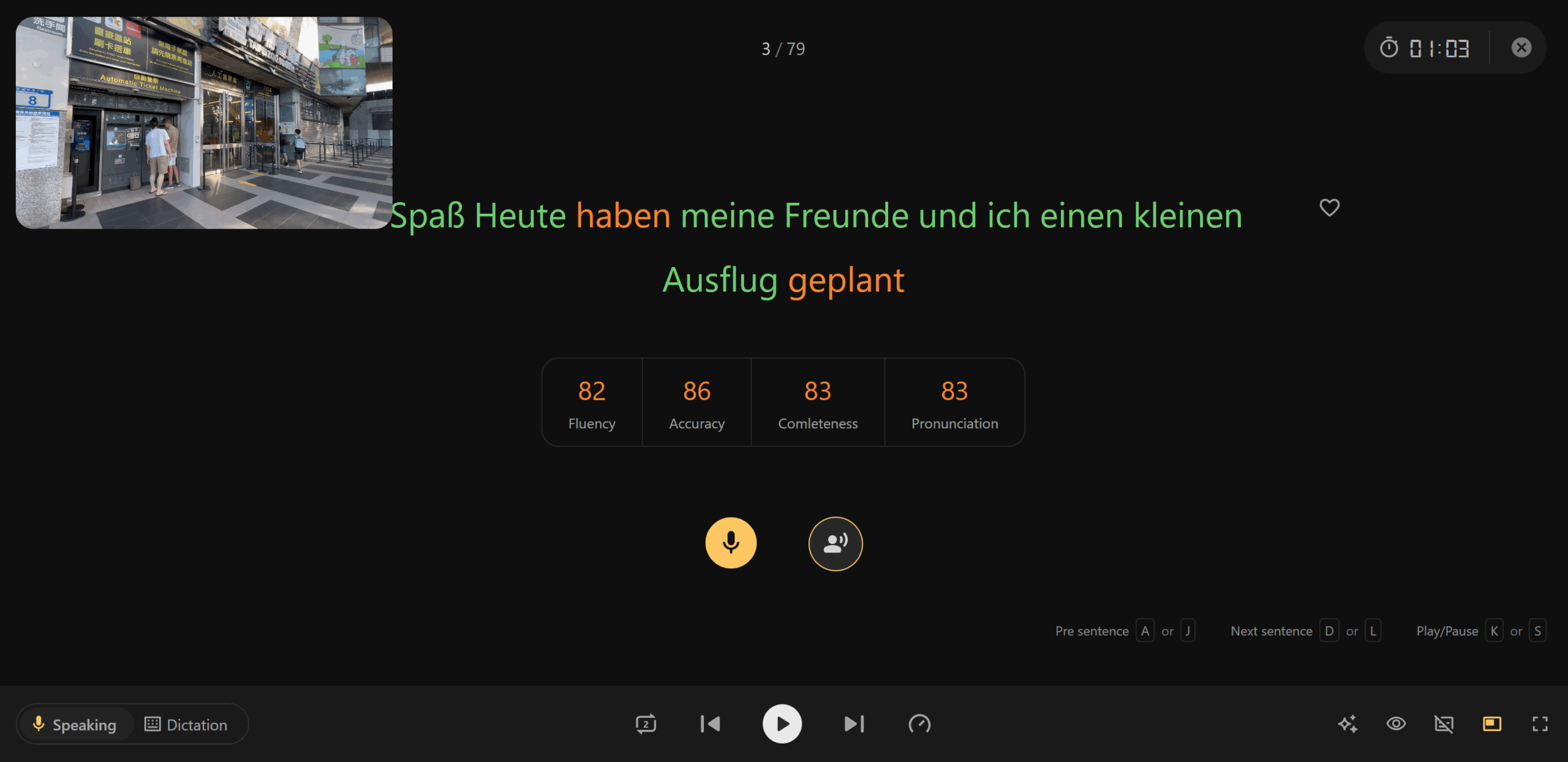
Try repeating the sentence a few times until all your words are green, then move on to the next sentence. If you are really stuck on a sentence and can’t get it right after several tries, move on and try coming back to it later. It’s better to practice more than obsess over details! Practice shadowing for about 20 minutes at a time! Don’t feel like you need to shadow the entire video! Shadowing can be very tiring, especially in the beginning, and you don’t want to overdo it! I will usually shadow for about 20-30 minutes, then watch the rest of the video normally for regular listening practice.
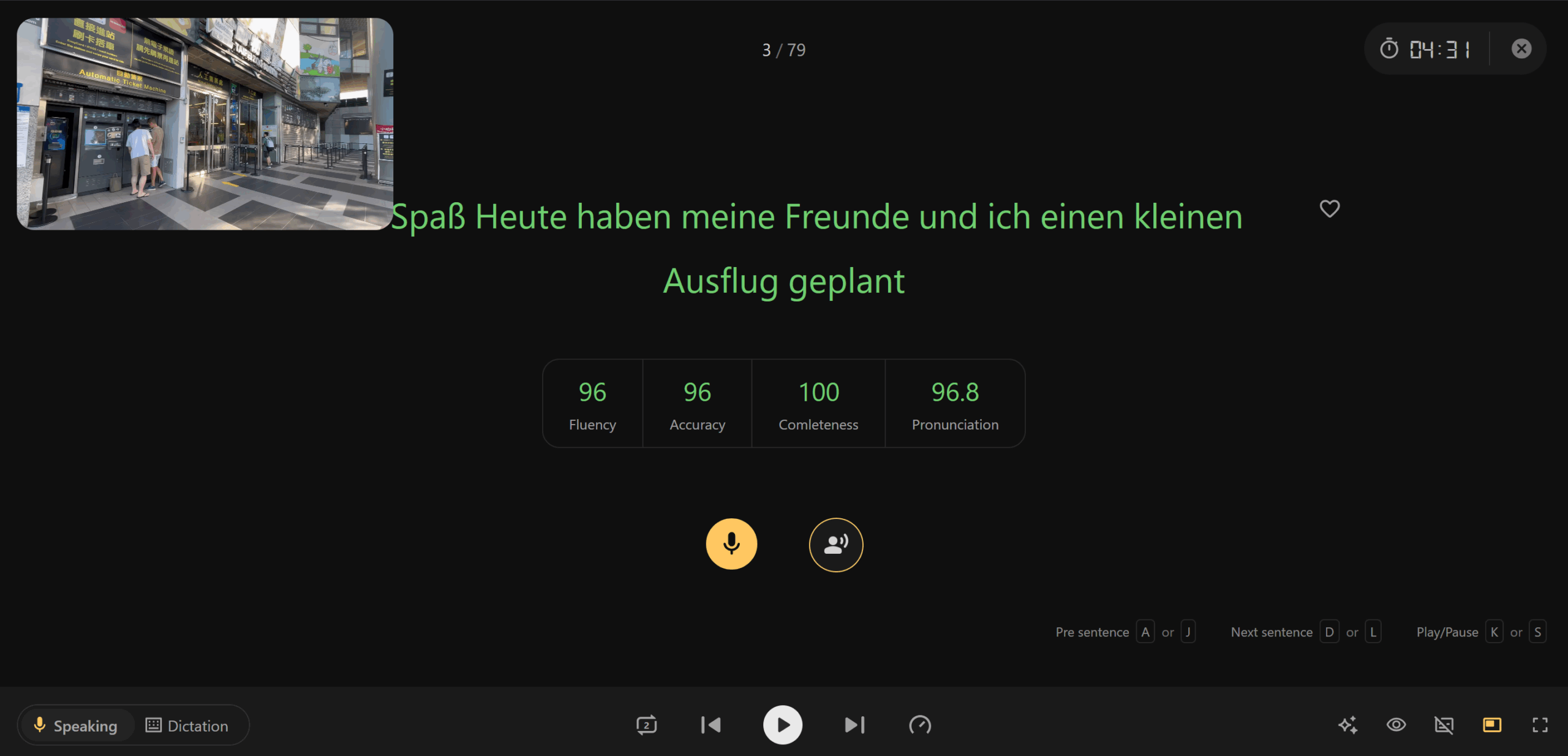
In the bottom right corner, there are some additional useful features. The eye icon will hide the text. This is very useful for advanced learners to practice shadowing solely by ear. The button with a slash through it toggles the English translation on and off. I recommend playing around with Trancy and figuring out what features and routine work best for you!

Chorusing
Choursing is a free website that allows you to practice your pronunciation by repeating phrases over and over again. The idea is for you to match the rhythm and timing of a native speaker to improve your pronunciation by sounding more fluid and native-like. Start by creating a free account, then go to “browse” to see the clips other people have made!

After you select a clip you want to practice, you will see the original video it comes from. When you press “Ready Now,” the clip will start playing on a loop. For the first few loops, just listen to the sentence, focusing on the native speaker’s flow and pronunciation.
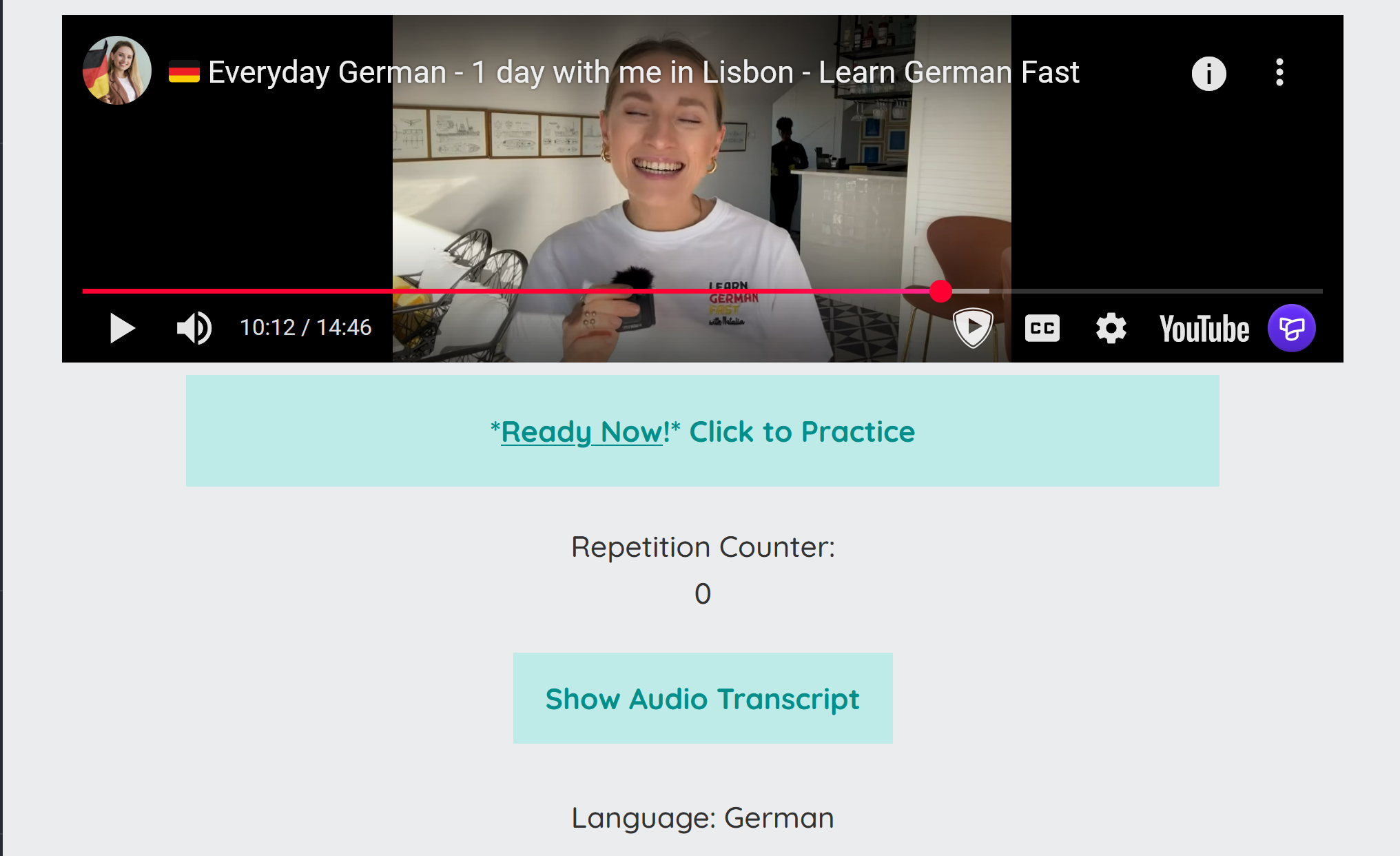
Once you have a feel for the sentence, start repeating it out loud. Your goal is to match the timing and pronunciation of the native speaker. That’s why it’s called chorusing! Because you create a chorus by speaking at the same time! Repeat the sentence until you feel you have it down. For me, this is usually about 10 times, then I move on to a new sentence!
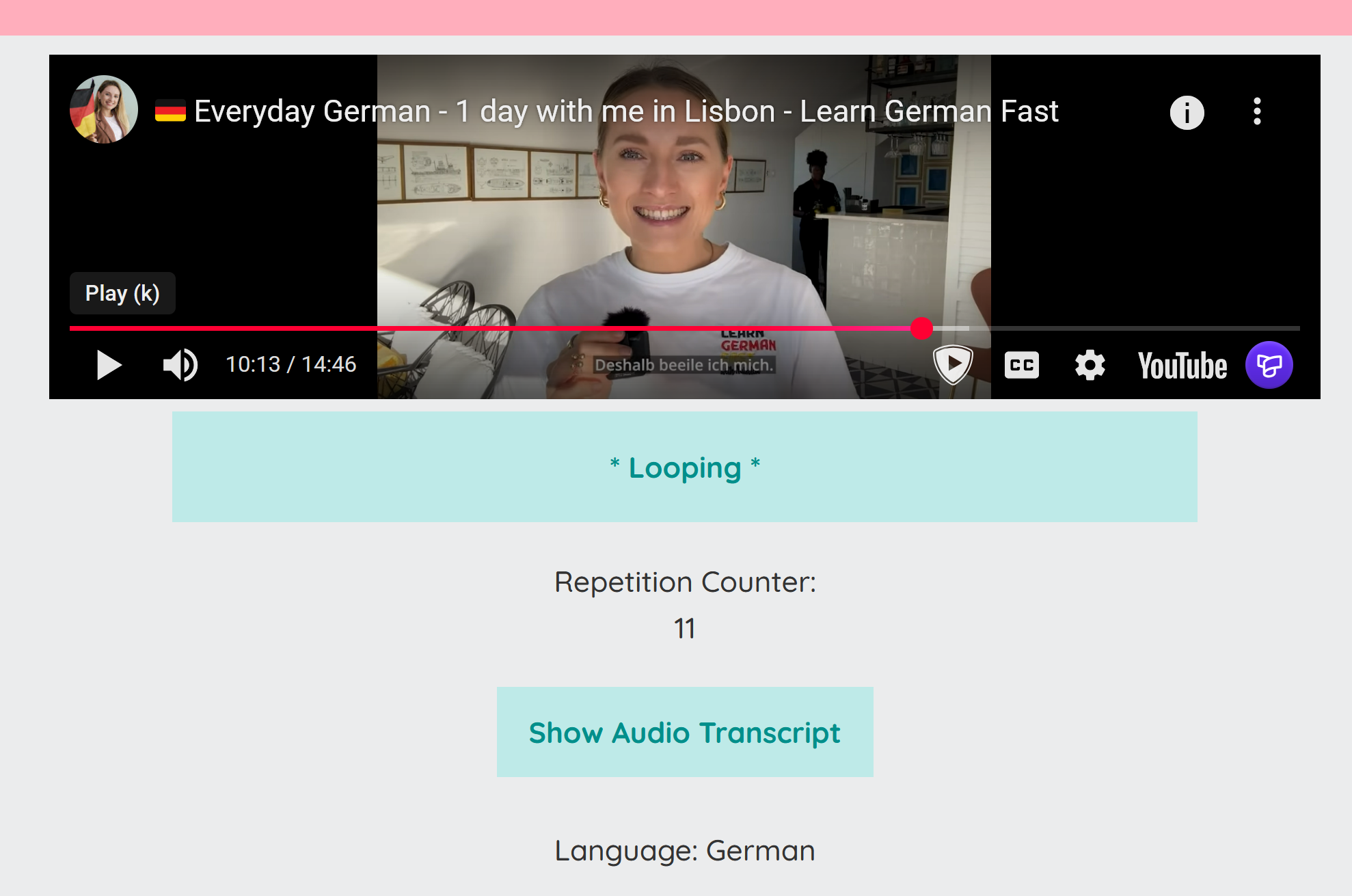
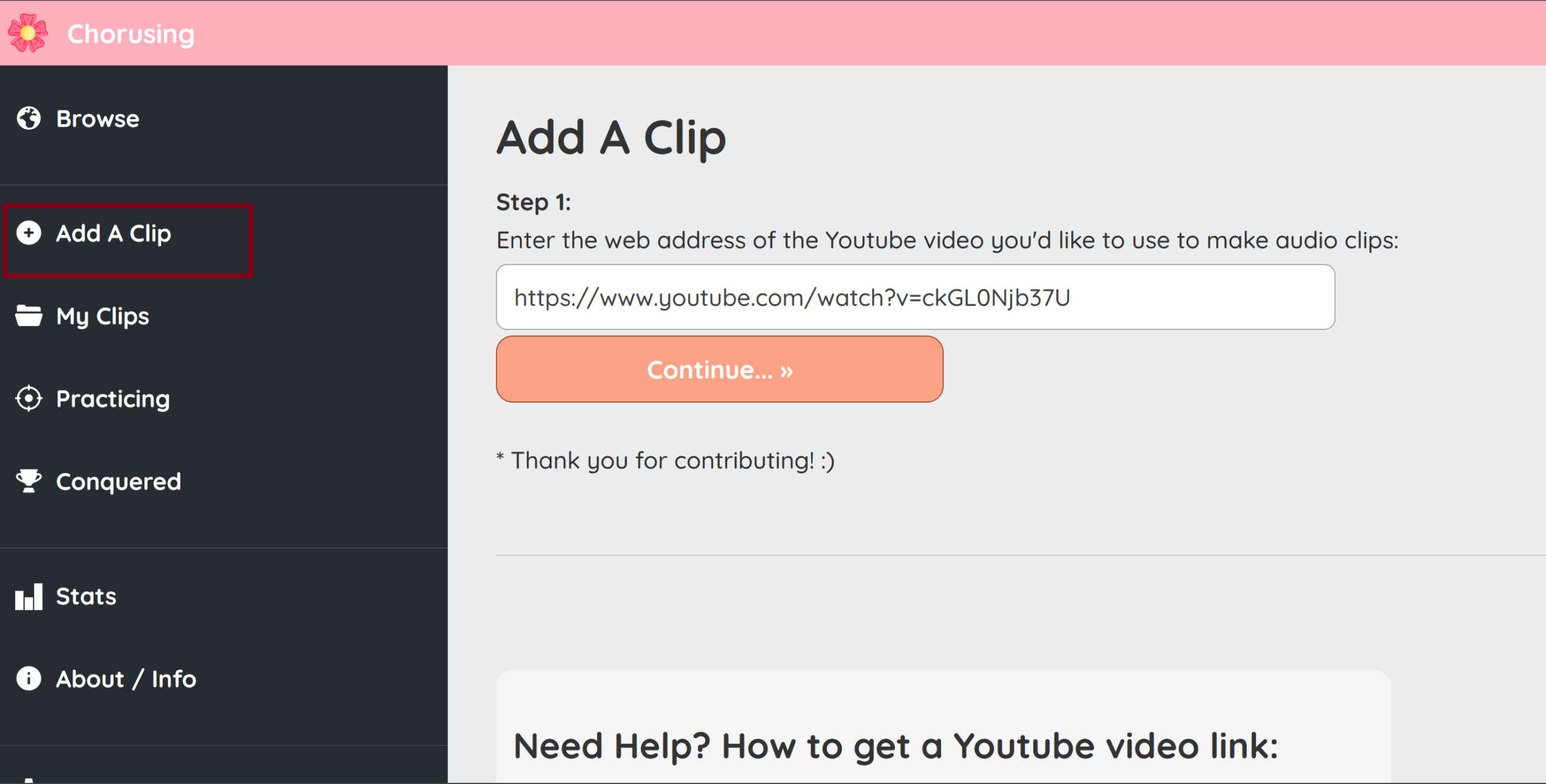
If you want to create your own clips, you can do so by going to “Add A Clip” and pasting a YouTube link into the box.
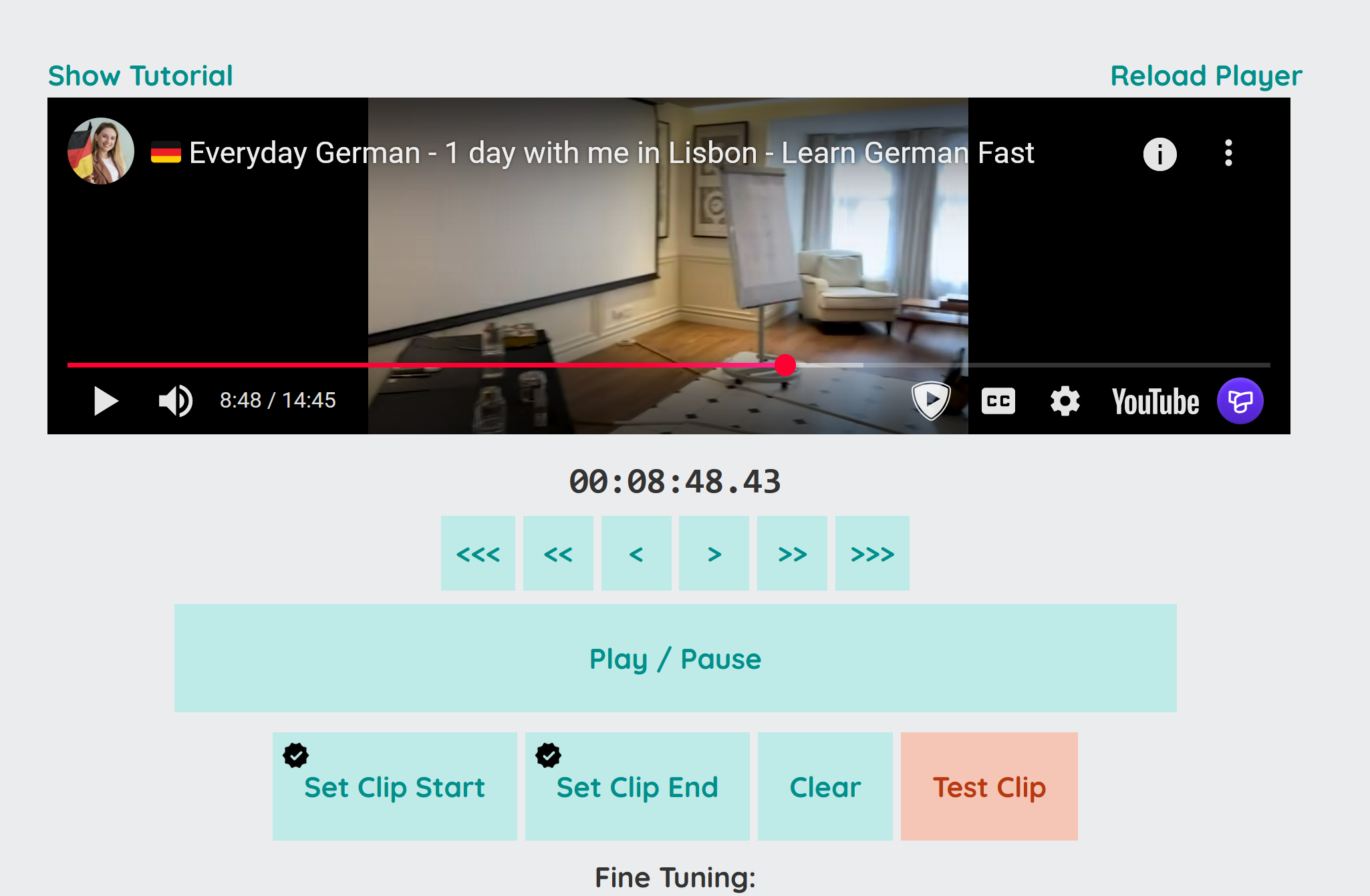
Next, use the built-in clip selector to set the beginning and end of your clip! Try not to choose sentences that are super long; the best clips are less than 5 seconds long. Once you have a clip you’re happy with, you can save it and start using it for chorusing!
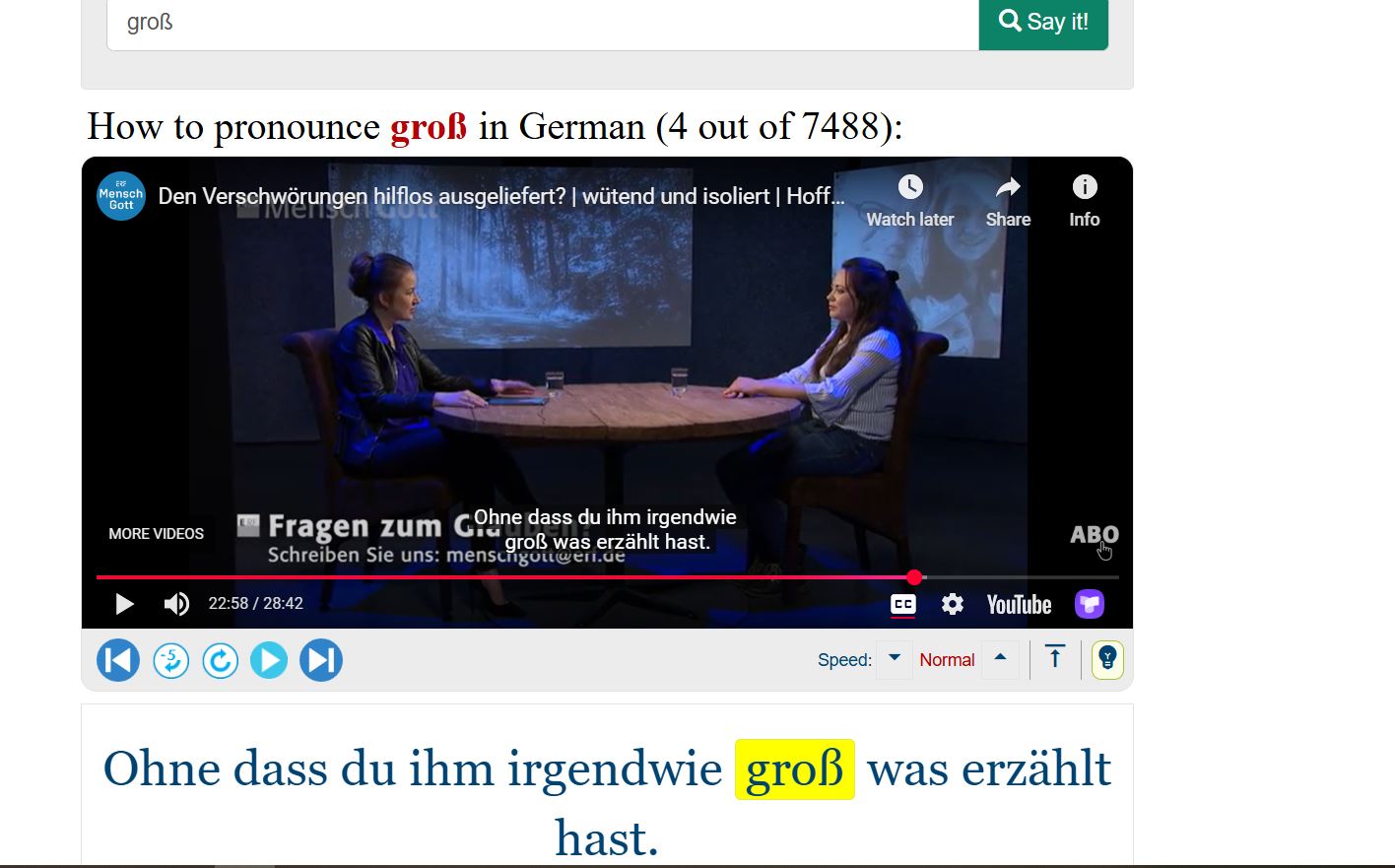
YouGlish
YouGlish is a website that allows you to look up words and hear them used in context by native speakers on YouTube. All you need to do is type in the word you want to look up, and you will get sentences from videos where that word is used. You can also filter by the regional accent you are studying! This tool is very helpful for reviewing words you struggle with or for finding shadowing material!
YouGlish also has its own built-in system for chorusing and repeating example sentences! Start by clicking on the blue bottom right corner with three dots.
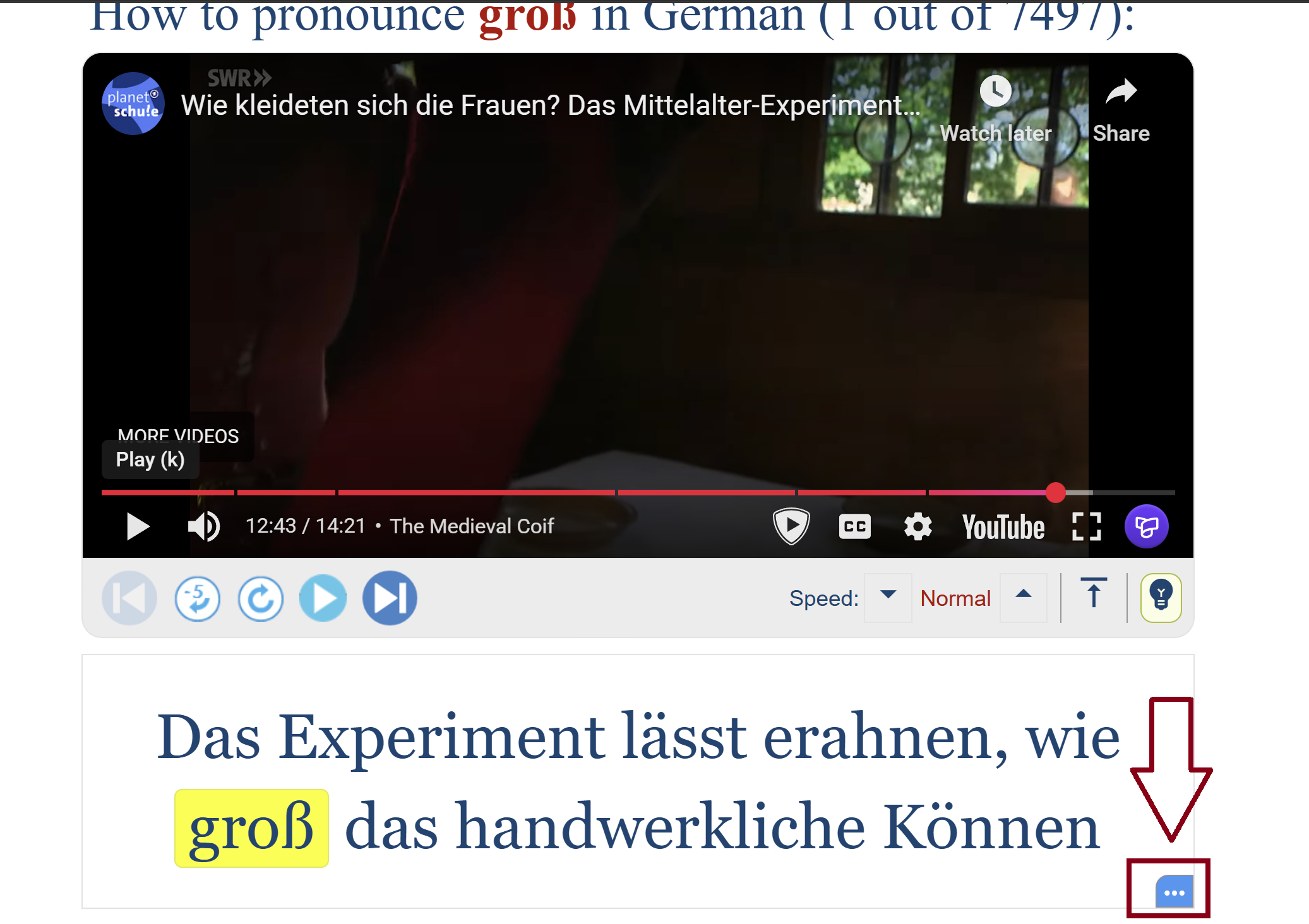
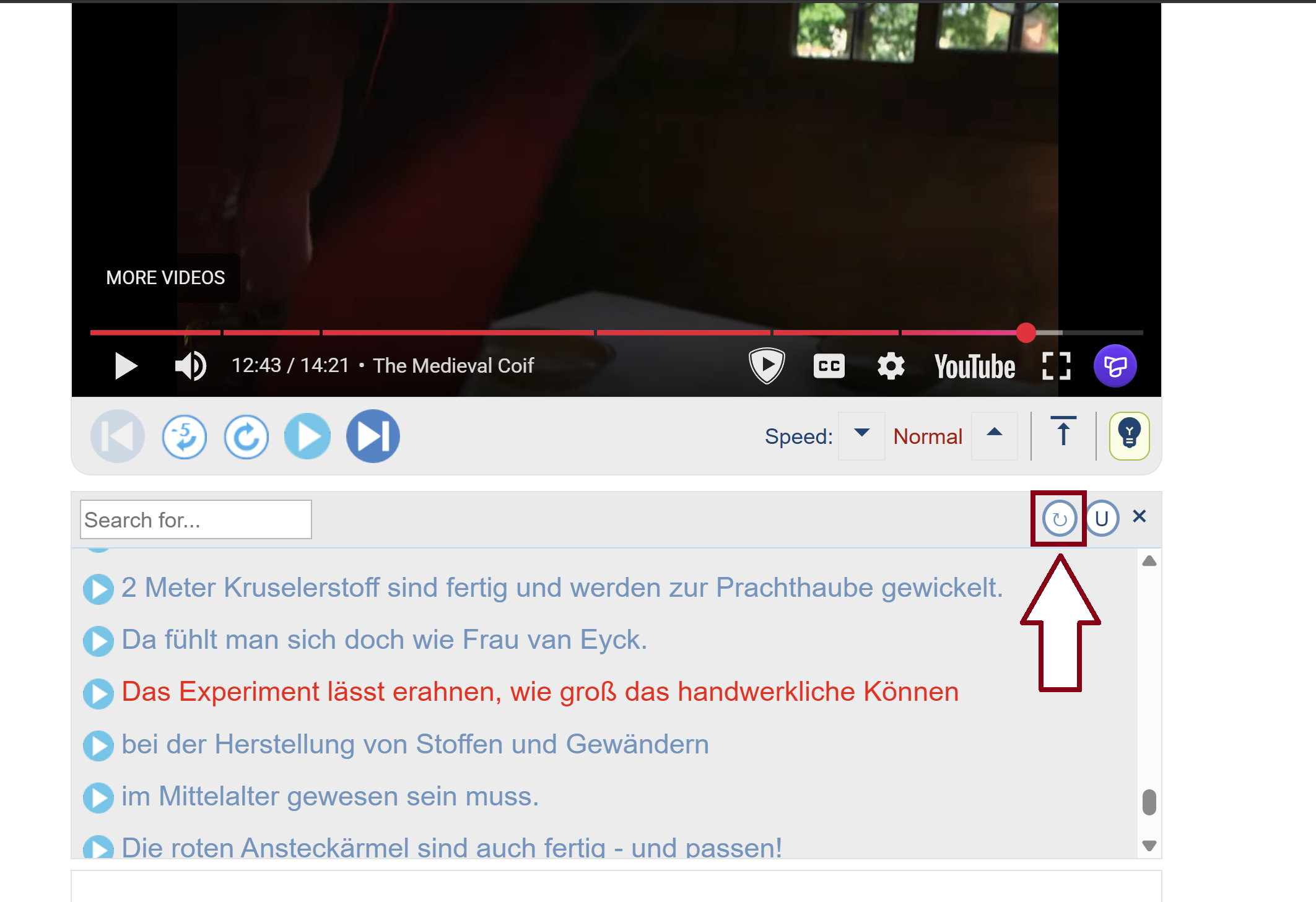
Here you can turn on the repeat feature, which allows you to shadow or chorus the example sentence! You can also find the transcript for the entire video, which allows you to see if there are any other sentences you would like to listen to or practice!
That’s everything you need to know to get started shadowing. You should practice shadowing a few times a week until you are at an advanced level and can comfortably speak German with proper pronunciation. You’re now on your way to having a great accent and fluent German!